
Introducing Model Factory
Introducing Model Factory
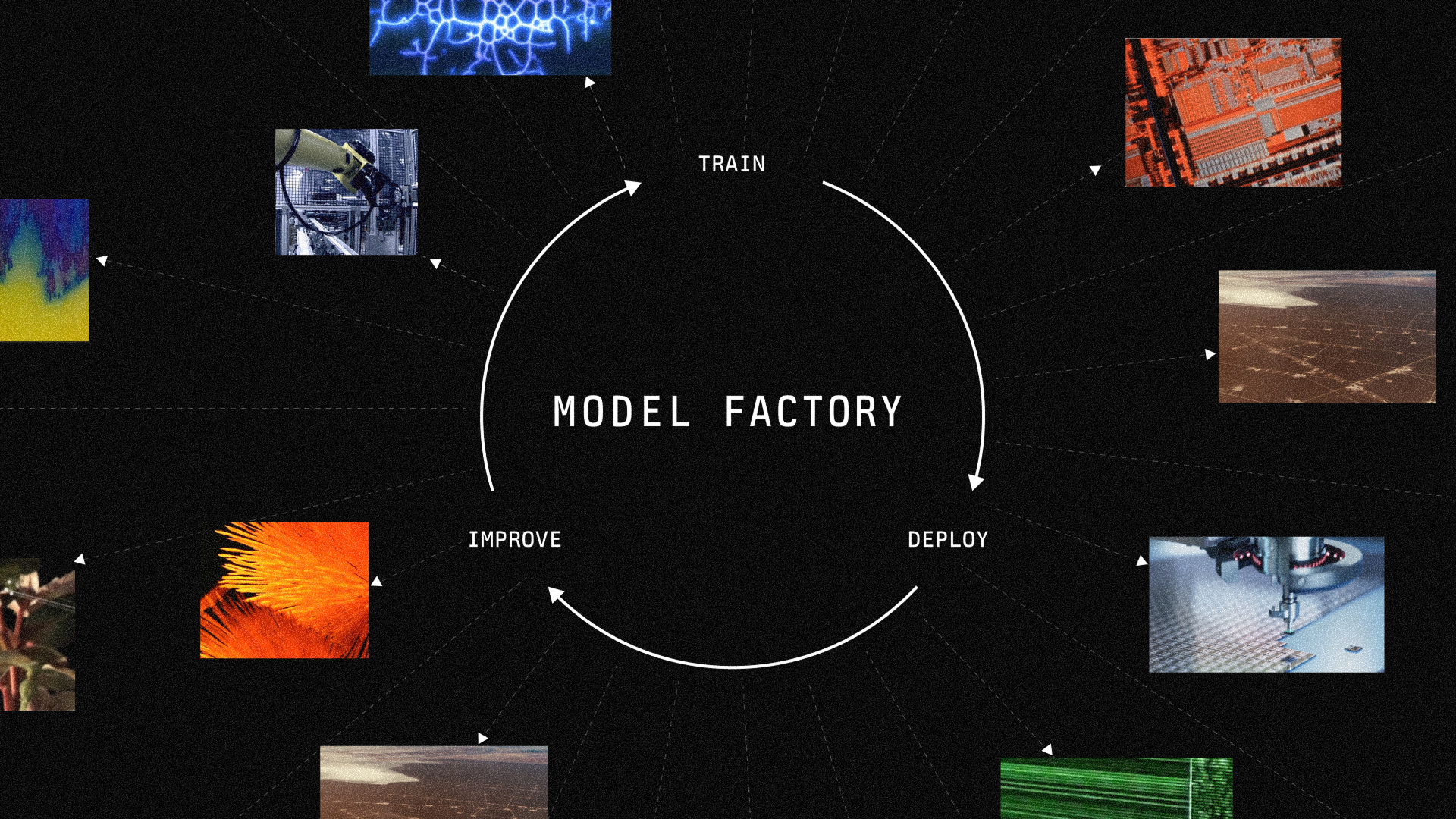
Today we introduce Model Factory: the loop that frontier labs run on. Now, any company can train, deploy, and continuously improve models in production.
Model Factory brings reinforcement learning (RL), supervised fine-tuning (SFT), pre-training, and inference together on one control plane.
There are two ways to get started:
- On-demand hosted training: submit a training configuration and run on managed GPUs, billed per GPU-hour. Start with the getting-started guide.
- Dedicated Model Factory deployments: work with our team on reserved capacity and deeper control, with managed training and inference alongside direct Slurm and Kubernetes access. Read the deployment docs or contact our team today.
We’re already deploying Model Factory for teams working on finance automation, computer use, scientific discovery, chip design, and more.
Own your model factory. Own your intelligence.
Every company should own its model factory
Frontier labs have an advantage that extends beyond any single model: they own the entire process of building and improving it. They train a model, deploy it, study how it performs, and use what they learn to train the next one. The steps are closely connected, and the data and knowledge stay in-house.
We believe every company should have this edge. Teams working in scientific discovery, chip design, finance, and other specialized domains know their problems in far greater detail than any general-purpose model provider. They should be able to build on that advantage by training and deploying models on their own tasks and data.
A team that wants better AI for its own domain has two paths:
-
Rent the model. This is the fastest way to start, but entails three costs. First, actions are limited beyond prompting: because you do not own the model weights, you cannot train the model on your own reward signal. Second, you give away information to the provider, which enables them to train a model based on your prompts and data and take over in your domain. Third, the provider can unilaterally change or retire the model version your product depends on with little warning.
-
Own the model. This is the only option where you own the weights, data, and lessons from production. It also means you can train, deploy, and improve your own model. Most teams start with an open-weights model and fine-tune or run RL on it.
Until recently, owning the model factory has been possible for only those capable of assembling GPUs, developing a custom training framework, maintaining inference at scale, and managing large-scale sandboxes infrastructure. Today, we’ve lowered the bar to entry and made it possible for any team to train a model: Model Factory is a lab in a box.
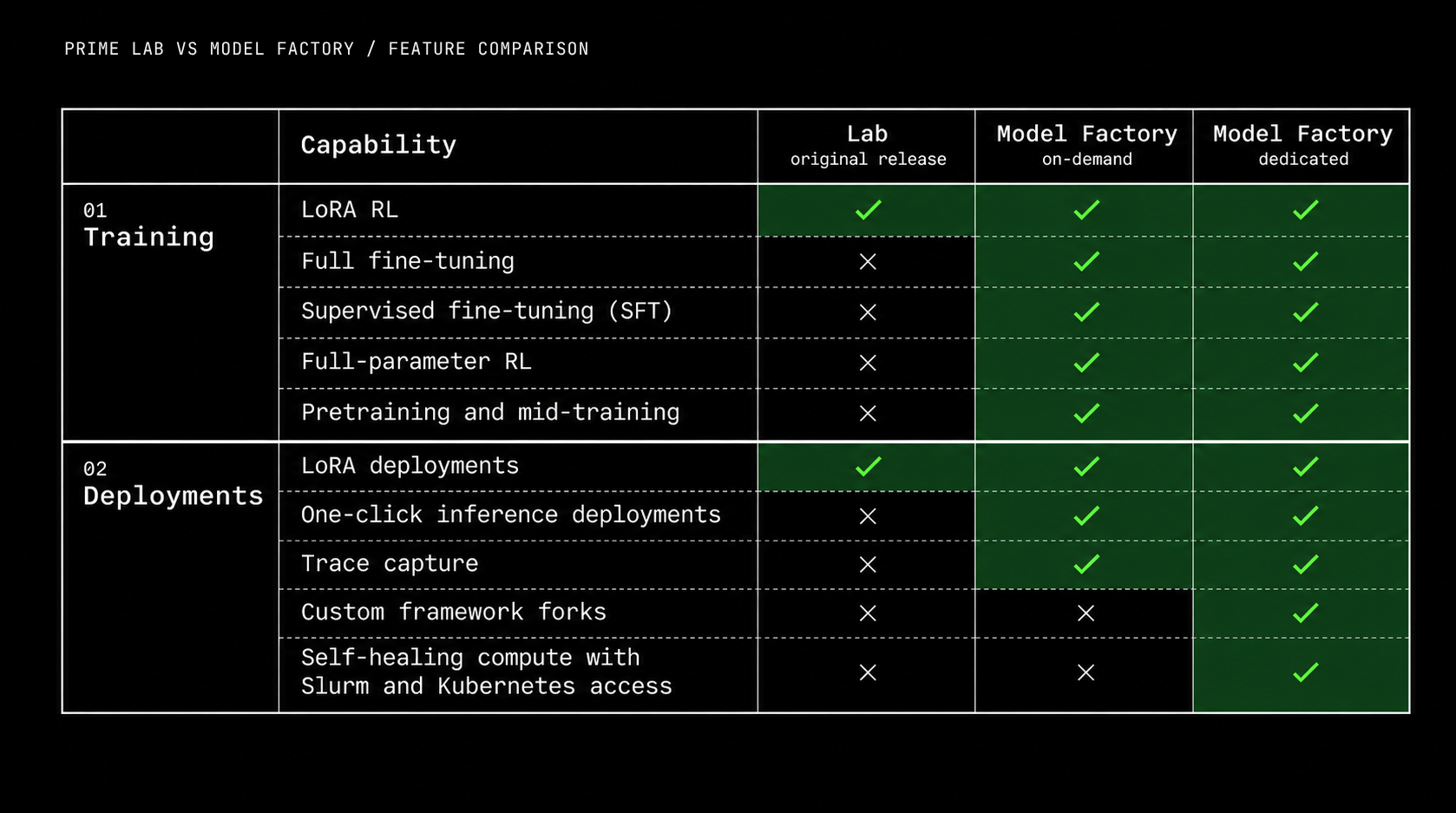
Model Factory allows researchers and engineers to focus on the experiments and products only they can build, instead of grappling with complex infrastructure. Compared to its predecessor Lab, this platform goes much deeper and lets you fully train models end-to-end, be it pre-training, mid-training, supervised fine-tuning, or large scale Reinforcement Learning. Training connects directly to large-scale production inference, one-click model deployments, trace capture, metrics, sandboxes, and custom agent harnesses, so the whole loop runs in one system.
Unified training, inference, environments, evals and sandboxes
When you train an agent with reinforcement learning, it first attempts tasks and receives a score for how well it performed. An orchestrator batches these scored attempts and sends them to a trainer to update the model's weights. The updated model then attempts more tasks, and the cycle repeats. Each round brings together inference to generate responses, sandboxes to execute code and tool calls, and environments to score the results.
Model Factory runs training, inference, sandboxes, and orchestration from one control pane. Researchers define the tasks, rewards, and training recipe without having to assemble the underlying infrastructure themselves.
A researcher might start with an open-source model and a set of coding tasks, then inspect its attempts to understand where it falls short. Does it find the right files and run the tests? Does it solve the problem or work around it? Those observations shape the next experiment: researchers might implement better demonstrations for SFT, a different reward signal for RL, or harder tasks.
During a run, researchers can track reward scores and inspect the agent's individual attempts. If a coding agent's score improves, they can read its patches and test results to check whether it is actually fixing more bugs. They can then evaluate checkpoints on a separate set of tasks to see whether the improvement holds beyond the tasks used for training.
1. Train
Train agents with reinforcement learning
First, choose your model from our catalogue of open-source models, or bring your own. Then, define your tasks and environment your agent will train in. The environment provides the tools and context the agent needs to attempt each task, along with a reward signal that scores its performance.
To run training with these environments, Model Factory integrates verifiers, the Environments Hub, and Harbor support. For agents that write code or use tools, it also natively integrates up to tens of thousands of concurrent microVM sandboxes into the run.
The platform manages the trainer, rollout inference and orchestration.
Supervised fine-tuning
Hosted supervised fine-tuning (SFT) trains a model on examples of the behavior you want, such as successful task completions, demonstrations, or curated responses from your domain.
You can use the fine-tuned model directly, or use it as the starting point for an RL run, where the model improves through practice and feedback from an environment.
Pre-training and mid-training
Beyond RL and fine-tuning, Model Factory supports pre-training new models and the continued training of existing base models. Run Model Factory on demand, or use a dedicated deployment for deeper infrastructure control and customization.
Explore new architectures and objectives, run ablations, or launch autonomous pre-training experiments with coding agents. For MoE models, Prime Mega MoE reached 48% model FLOPs utilization (MFU) on H200s using Qwen’s 235B MoE architecture.
2. Deploy
Launch an inference endpoint from the dashboard with one click, whether with Model Factory on demand or within a dedicated Model Factory deployment.
Training and inference share the same infrastructure. The model you developed can become an endpoint for your application, a source of synthetic data, or the model behind your next evaluation run.
Inference is part of the research process throughout. Use it to establish a baseline before training, evaluate checkpoints, generate tasks and data, and test the behavior of the model you plan to ship.
3. Improve
Prime Traces enable you to turn production traces into your next training run. For any given task attempt, you can record the tools an agent called, the path it took through a task, and where it failed.
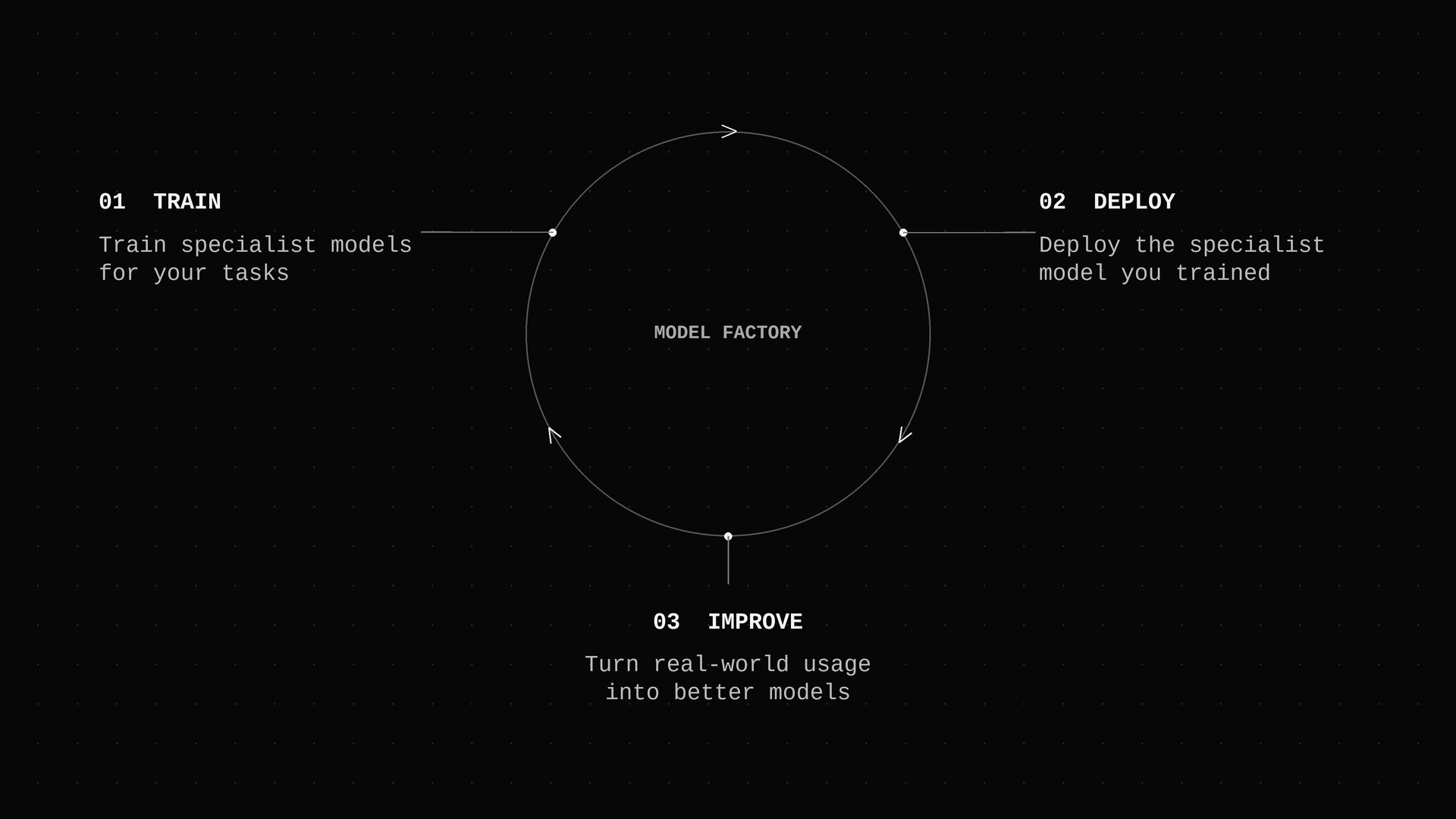
These failures can inform the next environment: determine which examples belong in the next run, how to score them, and whether the resulting model is ready to deploy. And the Deploy → Improve → Train cycle continues.
Because Model Factory connects the steps in the model development loop, you can harness the data generated in your runs to keep improving models around your own production experience.
Dedicated Model Factory
At scale, hardware failures are part of training. Model Factory offers health checks, automatic node replacement, and recovery from the latest checkpoint for long-running experiments. This can be accessed through the prime factory CLI, which gives teams one interface to manage compute and move GPUs between different workloads.
Some experiments require changes beyond the training configuration, whether this is a new architecture, a different objective, or a custom rollout strategy. Dedicated deployments allow researchers to modify the underlying frameworks and work directly with the cluster through Slurm and Kubernetes. This way, teams can run managed training and inference workloads alongside direct cluster access, and change the system where their work requires it.
Talk to our team
Looking for a dedicated Model Factory deployment? Tell us about your models, workloads, and compute needs. We’ll help you get started on your GPUs or ours.